Playground AI Review 2026: Features, Pricing, Pros & Cons
Playground AI is best understood as an AI design and image-editing workspace, not just a blank text-to-image generator. Its strongest use case is fast template-led visual creation: social graphics, product mockups, simple brand assets, quick image edits, and lightweight design drafts. It is easier and more practical than technical open-source workflows, but it does not beat the premium leaders on image quality, commercial safety, or deep creative control. This review explains why Playground AI ranks #13 in our AI Image Generators category.
What this Playground AI review covers
Built for review intent first: what Playground AI is, who it fits, how we evaluated it, why it ranks #13, what the free and paid limits mean, where it beats simpler tools, and where stronger AI image generators are the better choice.
What Playground AI is actually trying to be in 2026
Playground AI is no longer best described as only a text-to-image playground. In 2026, its clearest position is an AI graphic design and editor experience where users can generate, edit, remix, and download practical visual assets without learning a professional design suite.
AI design workspace first
How we evaluated Playground AI for this review
We judged Playground AI using the same VIP AI Index™ framework as the rest of the AI Image Generators category: Power, Usability, Value, Reliability, and Innovation.
Image quality and prompt usefulness
Template-led workflow value
Limits, value, and reliability
Playground AI Review Verdict — June 2026
Playground AI earns a 76/100 because it is genuinely useful for fast visual work, but it is not a top-tier image generator in the same sense as Midjourney, ChatGPT Image, Adobe Firefly, Leonardo AI, Ideogram, FLUX, or Stable Diffusion. Its best argument is practicality: it helps non-technical users move from an idea to a usable visual asset quickly.
The strongest buyers are creators, marketers, small businesses, and content teams that need social graphics, simple brand visuals, product mockups, and quick edits more than premium art direction. The interface and template-led approach make it easier to use than technical open-source options, and the limited free plan gives users a way to test the workflow before paying.
The catch: Playground AI is not the cleanest recommendation for serious brand-safe production, deep customization, or high-end artistic results. Usage limits also matter. Playground's own help center confirms that both free and paid plans include model-specific limits, which means heavy users need to pay attention to quotas before relying on it as a main production tool.
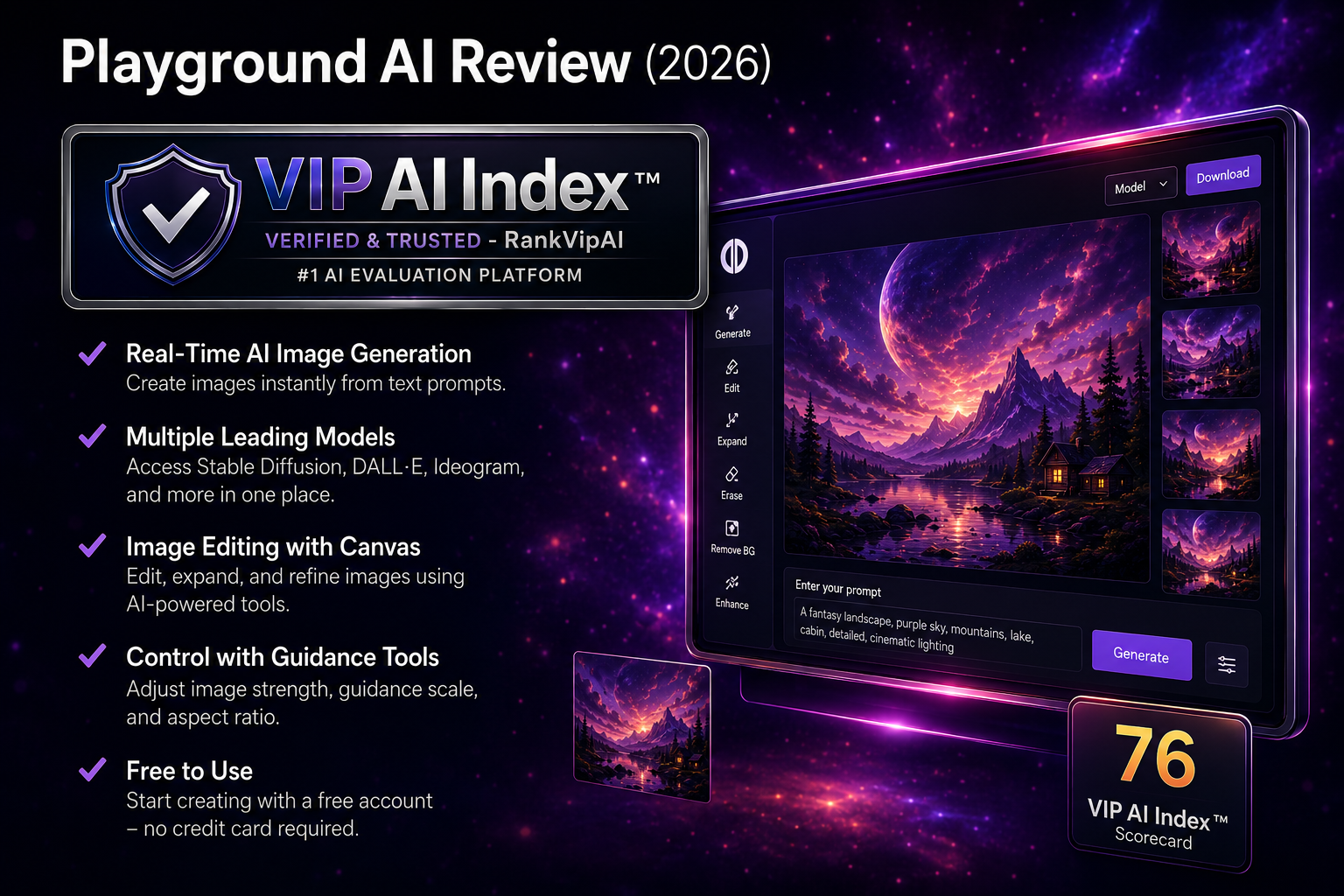
What Playground AI actually does
Playground AI is strongest when treated as a fast design assistant. It can generate and edit images, but its real value is the speed of getting from a prompt or template to something usable for everyday publishing.
Key workflow layers inside Playground AI
Playground AI pricing and limits in 2026
The important thing with Playground AI is that price and limits must be read together. RankVipAI lists Pro from $15/mo, while Playground's own help center confirms model-specific limits for both free and paid usage.
| Plan / buying angle | What we can confirm | Why it matters | Best fit |
|---|---|---|---|
| Free planLimited | $0 10 Playground v3 edits every 3 hours · 10 downloads/day | Good enough for testing the workflow, but the free limits are too tight for serious recurring production. | Casual testing, first drafts, low-volume creators |
| Pro baseline | $15/mo RankVipAI category baseline | The most relevant paid starting point in the ranking, especially because background removal and upscaling are Pro-only. | Creators and small teams producing recurring visuals |
| Pro usage limits | 75 edits / 3 hours Playground v3 monthly Pro; higher on annual | Paid does not mean unlimited. Heavy users should check model-level limits before relying on Playground as a main tool. | Moderate recurring usage, not unlimited production |
| Pro Plus / one-time options | Check live pricing Higher model quotas and one-time credit options | Best evaluated directly on Playground's pricing page because plan packaging and credits can change. | Higher-volume users, short-term projects, model-specific needs |
Commercial use, ownership, and practical restrictions
Playground AI is more commercially usable than its score might suggest, but buyers still need to understand the difference between ownership language, AI copyright realities, and platform-specific plan limits.
Commercial-use language is positive
Usage quotas are the real friction
Not the safest enterprise pick
Playground AI vs Canva AI vs Microsoft Designer vs NightCafe vs Grok Imagine
Playground AI sits in the lower-middle part of the AI Image Generators ranking. It beats weaker or less practical options for design speed, but it does not overtake stronger all-in-one or free alternatives.
| Category | Playground AI | Canva AI | Microsoft Designer | NightCafe | Grok Imagine |
|---|---|---|---|---|---|
| VIP AI Index™ Score | ★ 76 — Solid Choice | 78 — Solid Choice | 77 — Solid Choice | 74 — Solid Choice | 73 — Solid Choice |
| Ranking position | #13 | #11 | #12 | #14 | #15 |
| Starting price | $15/mo Pro baseline | $12.99/mo Pro | Free | $5.99/mo Beginner | $10/mo SuperGrok Lite / $30/mo SuperGrok |
| Core strength | ★ Fast template-led AI design | All-in-one design workflow | Completely free option | Community + multi-algorithm exploration | X-native image generation |
| Best fit | Quick social and design drafts | Finished designs and presentations | Casual free visuals | Creative hobbyists | Grok/X users |
| Why choose it? | You want easy AI-first editing, templates, and fast visual production | You want a broader design suite | You want no-cost access | You like community workflows | You already live inside Grok |
Best Playground AI alternatives depending on the job
The best alternative depends on whether you want better design workflow, better free access, stronger image quality, or deeper creative control.
Canva AI
Microsoft Designer
NightCafe
OpenArt
Freepik AI
Grok Imagine
Playground AI pros and cons
Playground AI has a clear place in the ranking, but its ceiling is limited. It works best when speed and simplicity matter more than elite image quality.
✓ Strengths
Playground AI earns its score because it makes everyday AI design work accessible, fast, and practical for non-technical users.
Playground AI is more approachable than local Stable Diffusion or complex open-source setups. That matters for creators and small teams that need assets quickly.
The design-first workflow is the reason to consider Playground. It is stronger as a fast graphics assistant than as a pure art generator.
The free plan is limited, but it still gives users a way to test the tool before paying. That improves value for cautious buyers.
✗ Weaknesses
The weaknesses explain why Playground AI ranks below Canva AI and Microsoft Designer, and far below the category leaders.
Midjourney, ChatGPT Image, Adobe Firefly, Leonardo AI, Ideogram, FLUX, and Stable Diffusion all have stronger arguments for serious image generation.
Free and paid plans both include model-specific limits. Heavy content teams should check live pricing and quotas before standardizing on Playground AI.
If the final output is a complete brand asset, presentation, or social campaign system, Canva AI remains the stronger all-in-one workflow choice.
Playground AI review FAQ
These are the buyer questions that matter most before using Playground AI as your main AI image or design tool in 2026.
Yes, for the right user. Playground AI is worth considering if you want fast template-led AI design, simple image edits, and quick social or marketing visuals. It is not the best choice for premium art quality or deep creative control.
RankVipAI's category baseline lists Playground AI from $15/mo for Pro. Playground's help center says all pricing is in U.S. dollars and points users to its live pricing page for the latest details.
Yes, but the free plan is limited. Playground's help center lists 10 Playground v3 image edits every 3 hours, 3 monthly edits for OpenAI 4o/Seedream/Nano Banana, and 10 design downloads per day.
Playground AI is best for fast template-led AI design, social assets, simple product mockups, lightweight brand visuals, thumbnails, posters, and quick creative drafts.
No in the current RankVipAI ranking. Canva AI ranks #11 with 78/100, while Playground AI ranks #13 with 76/100. Playground is good for quick AI-first design, but Canva is stronger as a full design platform.
Playground's help center says users own the assets they create with the service, subject to its terms, including rights for personal or commercial use. For client work or sensitive campaigns, always review the latest terms directly.
Need fast AI design drafts? Playground AI is worth testing.
Playground AI is not the strongest image generator in the category, but it is a useful, approachable design-first tool for creators and small teams that want fast visual assets without technical setup.
Other AI Image Generators
These are the closest alternatives and comparison points for users considering Playground AI.