OpenArt Review 2026: Features, Pricing, Pros & Cons
OpenArt is best understood as a broader AI creator studio rather than a simple text-to-image tool. Its strongest use case is flexible creation: exploring different looks, generating varied visual directions, editing images, and handling a wider creative workflow than basic design-first tools. It is more approachable than technical open-source workflows, but it still sits below the premium leaders for image quality, commercial confidence, and category trust. This review explains why OpenArt ranks #10 in our AI Image Generators category.
What this OpenArt review covers
Built for review intent first: what OpenArt is, who it fits, how we evaluated it, why it ranks #10, what the free and paid plans mean, where its broader creator workflow makes sense, and where stronger AI image generators are still the better choice.
What OpenArt is actually trying to be in 2026
OpenArt is better described in 2026 as a broader AI creator studio rather than a simple text-to-image app. Its position in the market comes from combining generation, editing, style exploration, and multiple workflow paths in a single interface.
Creator studio first
How we evaluated OpenArt for this review
We judged OpenArt using the same VIP AI Index™ framework as the rest of the AI Image Generators category: Power, Usability, Value, Reliability, and Innovation.
Image quality and creative range
Multi-model workflow value
Pricing, limits, and reliability
OpenArt Review Verdict — June 2026
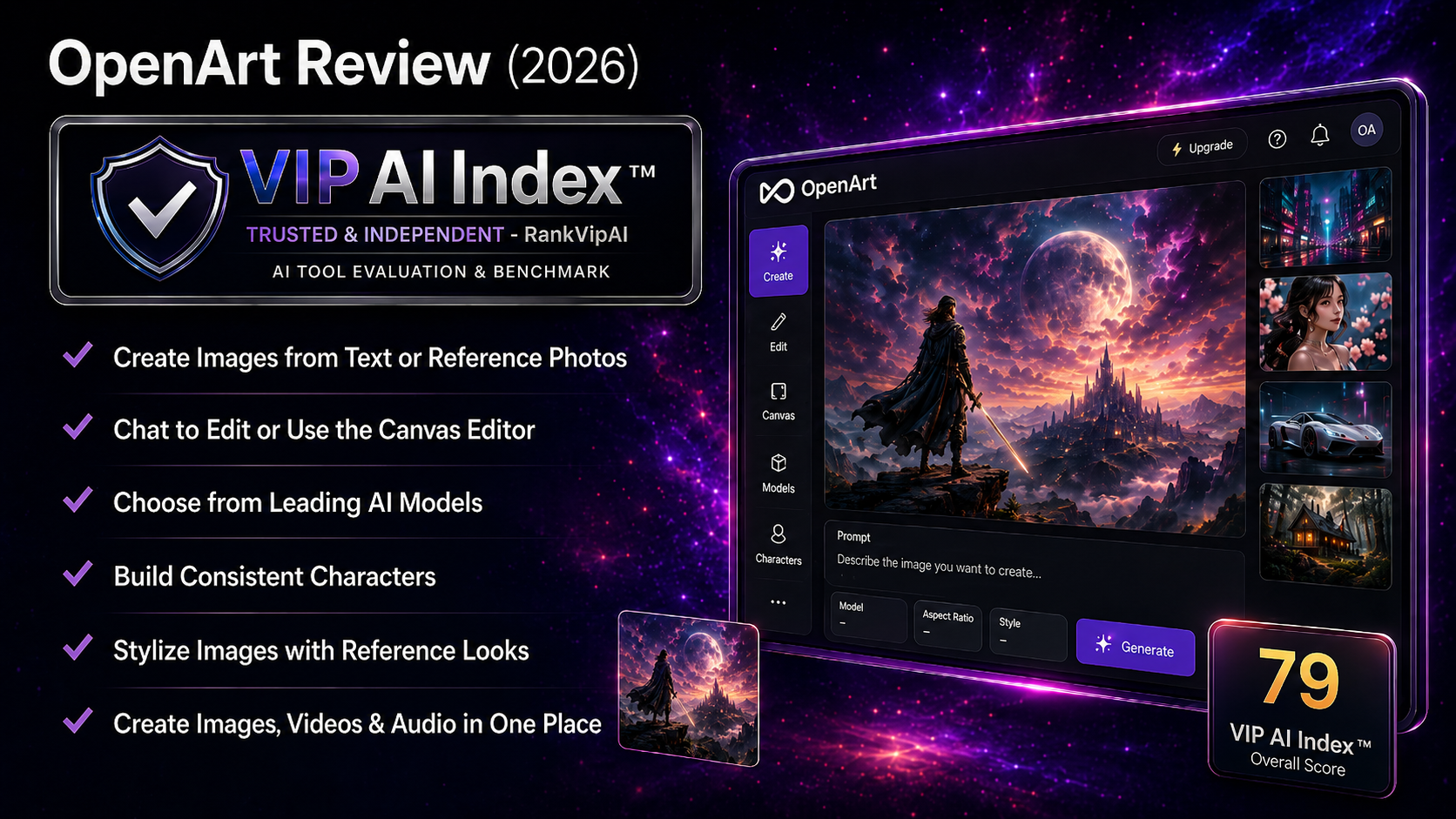
OpenArt earns a 79/100 because it is a broader and more capable creator platform than lower-ranked design-first tools, but it still falls short of the stronger VIP Pick tools above it. Its biggest strength is flexibility: it gives users a multi-model AI creator studio that is easier to approach than open-source workflows and broader than very narrow one-purpose tools.
The strongest buyers are creators, marketers, hobbyists, and visual teams that want room to experiment — different looks, more workflow variety, and enough built-in tooling to handle practical image tasks without assembling a technical stack. OpenArt feels more like a creator workspace than a basic AI image button.
The catch: OpenArt is not yet a top-tier recommendation for pure image quality, commercial safety, or highest-confidence consistency. Users who need the strongest art quality, the safest commercial positioning, or the cleanest platform trust may still be better served by Midjourney, ChatGPT Image, Adobe Firefly, Leonardo AI, Ideogram, or Freepik AI depending on use case.
What OpenArt actually does
OpenArt is strongest when treated as a flexible creator workspace. It can generate and edit images, but its real value is the broader workflow: experimentation, model variety, and creative iteration in one place.
Key workflow layers inside OpenArt
OpenArt pricing and value in 2026
The important thing with OpenArt is not only the sticker price, but whether the broader creator workflow justifies paying versus simpler tools. In the RankVipAI category table, OpenArt starts at $14/mo, or about $7/mo billed annually, with limited free access.
| Plan / buying angle | What we can confirm | Why it matters | Best fit |
|---|---|---|---|
| Free tierLimited | Limited free access Good for testing, not ideal as a full recurring workflow | Useful if you want to test the interface and creative workflow before paying. | First-time users and cautious buyers |
| Paid entry point | $14/mo About $7/mo billed annually | The entry price is reasonable for users who want a broader creator workflow without jumping to premium top-tier pricing. | Creators and small teams needing more flexibility |
| Value angle | Workflow breadth More than a single-purpose generator | You are paying for experimentation, editing, and a broader creator-studio feel rather than only one prompt-to-image output. | Users who value experimentation and variety |
| Practical caution | Verify live pricing Check the official site before buying | As with any AI tool, packaging and plan details can change, so final purchase decisions should be based on the live pricing page. | All buyers |
Commercial use, ownership, and practical restrictions
OpenArt is commercially interesting for creators and small teams, but it is not one of the category’s highest-confidence platforms for commercial safety. Buyers should always verify the current terms before sensitive client or campaign use.
Check the live terms before commercial use
The real question is workflow fit
Not the safest enterprise pick
OpenArt vs Freepik AI vs Canva AI vs Microsoft Designer vs Playground AI
OpenArt sits just outside the VIP Pick tier in the AI Image Generators ranking. It beats lower-ranked design-first and free tools thanks to broader workflow flexibility, but it does not overtake Freepik AI or the stronger VIP Pick tools above it.
| Category | OpenArt | Freepik AI | Canva AI | Microsoft Designer | Playground AI |
|---|---|---|---|---|---|
| VIP AI Index™ Score | ★ 79 — Solid Choice | 80 — VIP Pick | 78 — Solid Choice | 77 — Solid Choice | 76 — Solid Choice |
| Ranking position | #10 | #9 | #11 | #12 | #13 |
| Starting price | $14/mo or $7/mo annual | $10/mo Essential | $12.99/mo Pro | Free | $15/mo Pro |
| Core strength | ★ Multi-model AI creator studio | Stock + AI creative workflow | All-in-one design workflow | Completely free option | Fast template-led AI design |
| Best fit | Flexible creator workflow and experimentation | Teams needing stock + generation | Finished designs and presentations | Casual free visuals | Quick social and design drafts |
| Why choose it? | You want more breadth and workflow variety than simple design-first tools provide | You want asset library + generation together | You want a broader design suite | You want no-cost access | You want easy template-led speed |
Best OpenArt alternatives depending on the job
The best alternative depends on whether you want better stock integration, a stronger design suite, a free option, or higher-end image generation.
Freepik AI
Canva AI
Microsoft Designer
Playground AI
Stable Diffusion
Ideogram
OpenArt pros and cons
OpenArt has a clear place in the ranking, but its ceiling is still below the VIP Pick tier. It works best when flexibility and workflow breadth matter more than elite image quality.
✓ Strengths
OpenArt earns its score because it gives users a flexible AI creator workflow that is accessible, broad enough for real experimentation, and practical for non-technical users.
OpenArt is more approachable than local Stable Diffusion or complex open-source setups. That matters for creators and small teams that want breadth without technical friction.
The broader creator-studio positioning is the reason to consider OpenArt. It gives users more room to experiment than simpler design-first tools.
The paid entry price is reasonable for users who want more workflow flexibility without stepping into premium pricing territory.
✗ Weaknesses
The weaknesses explain why OpenArt stays below Freepik AI and the VIP Pick leaders above it.
Midjourney, ChatGPT Image, Adobe Firefly, Leonardo AI, Ideogram, FLUX, and Stable Diffusion all have stronger arguments for serious image generation.
OpenArt is useful, but it is not yet one of the category's highest-confidence picks for commercial safety, trust, or premium image quality.
Freepik AI and the higher-ranked VIP Pick tools still offer stronger overall arguments depending on use case, especially for more established production needs.
OpenArt review FAQ
These are the buyer questions that matter most before using OpenArt as your main AI image tool in 2026.
Yes, for the right user. OpenArt is worth considering if you want a broader multi-model AI creator studio with more experimentation and workflow flexibility than basic design-first tools provide.
In the RankVipAI category table, OpenArt starts at $14/mo, or about $7/mo billed annually. Always verify the live pricing page before purchase.
Yes, but only as a limited free tier. RankVipAI classifies OpenArt as having limited free access rather than a fully open free plan.
OpenArt is best for a multi-model AI creator studio workflow: generating different visual styles, experimenting with creative directions, and handling a broader set of image tasks than simpler single-purpose tools.
In the current RankVipAI ranking, yes. OpenArt ranks #10 with 79/100, while Canva AI ranks #11 with 78/100. OpenArt is stronger as a more flexible creator studio, while Canva remains stronger as a full design suite.
No in the current ranking. Freepik AI ranks #9 with 80/100 because its stock-plus-AI workflow is easier to justify for many practical teams. OpenArt remains a good option when you want more experimentation and multi-model variety.
Need a broader creator studio? OpenArt is worth testing.
OpenArt is not a top-tier VIP Pick, but it is a useful, flexible creator platform for users who want more workflow breadth, model variety, and experimentation than simpler AI image tools provide.
Other AI Image Generators
These are the closest alternatives and comparison points for users considering OpenArt.