AI Coding Assistant Comparisons

Home/ AI Tool Comparisons/ AI Coding Assistant Comparisons/ GitHub Copilot vs Cursor
🟡 Updated June 2026 · VIP AI Index™ scores from the official Q1 2026 table · Editorial comparison refreshed for Q2 2026 pricing, IDE support and agent workflow positioning.
⚔️ Quick answer · Cursor wins overall for AI-native coding power, Agent mode and VS Code-style development. GitHub Copilot wins for price, IDE breadth and GitHub-native workflows. Cursor is #1 with 92/100; GitHub Copilot is #3 with 89/100 in the VIP AI Index™.
AI Coding Assistant Comparison · Q2 2026

GitHub Copilot vs Cursor: 7 Real Differences in 2026

GitHub Copilot and Cursor are both VIP Elite AI coding tools, but they are not built for the same developer workflow. GitHub Copilot is the better choice if you want a lower-cost AI coding assistant that works across VS Code, Visual Studio, JetBrains, Vim, Neovim and GitHub.com. Cursor is the stronger choice if you are willing to use an AI-native code editor built around codebase-aware chat, Agent mode, multi-file edits and a VS Code-style environment.

🏆 Winner: Cursor by score 💰 Best value: GitHub Copilot 🤖 Best agent: Cursor 🧩 Best IDE breadth: Copilot Best AI editor: Cursor 📌 Updated: June 2026
92 vs 89
VIP AI Index™ score
$20 vs $10
Paid plan entry point
Editor vs plugin
Core product split
Q2 2026
Editorial update

Verdict: Cursor is the stronger AI coding tool, but Copilot is easier to adopt

Cursor wins the direct product comparison: 92/100 vs 89/100. It is the better choice for developers who want an AI-native editor, stronger codebase awareness, deeper Agent mode and a workflow built around AI from the ground up.

GitHub Copilot still wins in several practical buying scenarios. It is cheaper at the individual Pro level, works across more IDEs, fits JetBrains and Visual Studio teams better, and is deeply connected to GitHub.com workflows such as pull requests, Issues, code review and repository-level collaboration.

The clean decision is this: choose Cursor if you are willing to use a VS Code-style AI editor and want maximum coding power. Choose GitHub Copilot if you need a lower-cost assistant that works across your existing IDEs and your GitHub workflow.

Choose Cursor when… You want the best AI-native editor, stronger Agent mode, better codebase-aware workflows and a VS Code-style environment built for AI coding.
Choose GitHub Copilot when… You want lower pricing, broad IDE support, native GitHub workflows and minimal migration friction for mixed developer teams.
Cursor RankVipAI review image with 92 VIP AI Index score
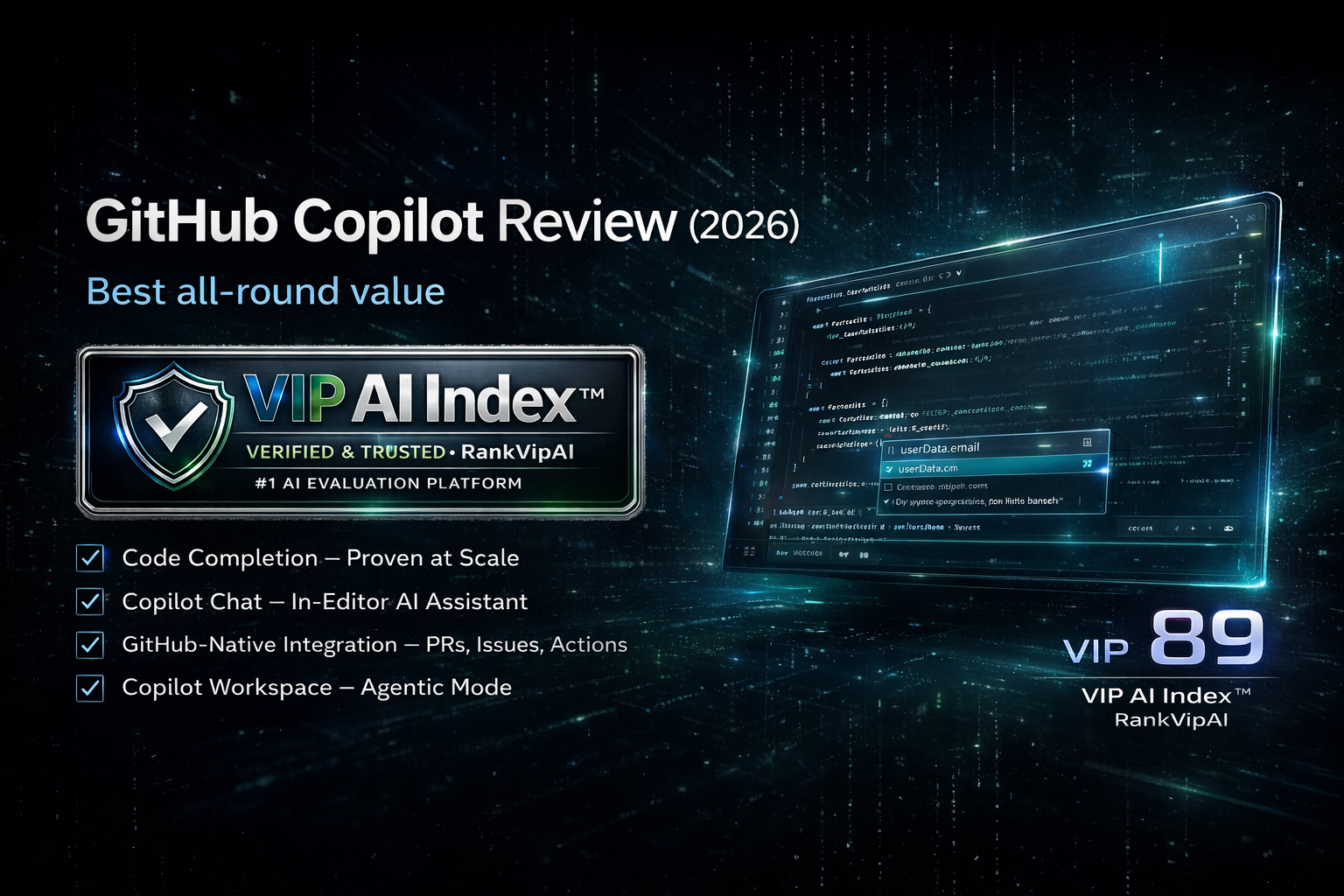
GitHub Copilot RankVipAI review image with 89 VIP AI Index score
RankVipAI Editorial Team · VIP AI Index™ methodology · Q1 2026 scores · Q2 2026 editorial update · Updated June 3, 2026
🔬 Feature test

GitHub Copilot vs Cursor: 7 real differences that matter

These are the practical differences that decide which AI coding assistant makes more sense for your workflow, budget and team setup.

1 Winner: Cursor

AI-native editor vs plugin

Cursor is an editor built around AI. Copilot is an AI layer added to existing IDEs. That single difference explains most of the comparison: Cursor feels deeper and more integrated; Copilot feels easier to adopt without changing tools.

2 Winner: GitHub Copilot

IDE support

Copilot works across VS Code, Visual Studio, JetBrains IDEs, Vim, Neovim, Xcode, Eclipse and GitHub.com. Cursor is strongest if you are willing to use its own VS Code-style editor. For mixed-IDE teams, Copilot is safer.

3 Winner: Cursor

Agent mode maturity

Cursor has the stronger integrated agent workflow for multi-file changes, planning, codebase-aware edits and terminal-assisted development inside the editor. Copilot is improving fast, but Cursor still feels more mature for AI-native implementation work.

4 Winner: GitHub Copilot

GitHub workflow integration

If your team lives inside GitHub, Copilot has a native advantage. Repository workflows, pull requests, Issues, code review and GitHub.com context are part of the product. Cursor can work with GitHub repos, but it is not GitHub-native in the same way.

5 Winner: GitHub Copilot

Pricing

GitHub Copilot Pro starts at $10/month, while Cursor Pro starts at $20/month. Cursor delivers more AI-native coding depth, but Copilot has the cleaner price-to-capability ratio for everyday coding assistance.

6 Winner: Cursor

VS Code migration

For VS Code users, Cursor is a relatively low-friction switch because it can import VS Code settings and extensions. If you already like the VS Code workflow and want stronger AI inside the editor, Cursor becomes very compelling.

7 Winner: Depends

Team adoption and security posture

GitHub Copilot is easier to approve in GitHub-heavy organizations. Cursor has strong privacy and enterprise controls too, but it may require teams to accept a new editor workflow. Copilot is the easier default; Cursor is the higher-upside specialist choice.

Final split

The real difference

Cursor is the better AI coding environment. GitHub Copilot is the better universal AI coding assistant. The winner depends on whether you want to switch into an AI-native editor or keep your existing stack.

📊 Head-to-head

GitHub Copilot vs Cursor comparison table

The direct feature, pricing and workflow comparison for developers deciding between Copilot and Cursor in 2026.

Category GitHub Copilot Cursor Winner
VIP AI Index™ score 89/100 · VIP Elite · #3 AI Coding Assistants 92/100 · VIP Elite · #1 AI Coding Assistants Cursor
Best for Best all-round value, IDE support, GitHub workflow AI-native editor, Agent mode, pro coding workflow Depends on workflow
Starting paid plan $10/mo Pro $20/mo Pro GitHub Copilot
Free access Copilot Free with limited monthly completions and AI access Cursor Hobby Free with limited Agent requests and Tab completions Both
Core workflow AI assistant inside existing IDEs AI-native code editor Cursor
IDE coverage VS Code, Visual Studio, JetBrains, Vim, Neovim, Xcode, Eclipse, GitHub.com Cursor editor, VS Code-style workflow, VS Code settings import GitHub Copilot
Agent mode Improving agentic functionality inside Copilot and GitHub More mature editor-native Agent workflow Cursor
GitHub pull request workflow Native GitHub advantage Works with repositories, but not GitHub-native in the same way GitHub Copilot
VS Code users Best if you do not want to switch editors Best if you are willing to switch to an AI-native VS Code-style editor Cursor
JetBrains users Native plugin support No native JetBrains plugin; requires switching editor workflow GitHub Copilot
Best buyer profile Mixed-IDE teams, GitHub-heavy orgs, budget-sensitive developers Professional developers who want the strongest AI coding editor Depends on need
Pricing and feature availability can change quickly in AI coding tools. Always confirm current plan limits, model access and usage policies on the official checkout pages before buying.
🧭 Buying logic

Which should you choose?

The easiest way to decide is not “which tool is more famous?” It is “do you want a universal AI plugin or a dedicated AI editor?”

Best overall AI coding editor

Choose Cursor

Pick Cursor if you want the highest-scored AI coding tool on RankVipAI, stronger Agent mode, better AI-native UX and a VS Code-style editor optimized around AI workflows.

Best all-round value

Choose GitHub Copilot

Pick Copilot if you want a cheaper paid plan, broader IDE support, native GitHub workflows and an AI assistant that works without forcing an editor migration.

Best hybrid setup

Use both

A serious developer can use Cursor as the main AI editor for deep coding and Copilot for JetBrains, GitHub.com, Visual Studio or mixed-IDE team environments.

💰 Pricing

GitHub Copilot vs Cursor pricing in 2026

Copilot wins on entry price. Cursor wins if you judge value by AI-native coding depth rather than monthly cost alone.

Plan logic GitHub Copilot Cursor Practical meaning
Free tier Copilot Free with limited completions and AI access Cursor Hobby Free with limited Agent requests and Tab completions Both can be tested before paying
Individual paid starting point $10/mo Copilot Pro $20/mo Cursor Pro Copilot is cheaper for everyday coding
What paid users are buying IDE assistant, completions, chat, GitHub workflow and model access AI-native editor, Agent limits, frontier models, MCPs, cloud agents and coding workflow depth Cursor justifies the higher price with deeper AI-editor integration
Team adoption Strong fit for companies already using GitHub and mixed IDEs Strong fit for teams willing to standardize around Cursor as the primary editor Copilot is easier to roll out; Cursor has higher AI-workflow upside
RankVipAI pricing guidance is editorial. Check the official pricing pages for active promotions, usage-based policies, model limits and credit systems before purchasing.
⚖️ Pros & cons

GitHub Copilot vs Cursor pros and cons

GitHub Copilot strengths

  • Lower paid entry price at $10/month for Copilot Pro.
  • Broad IDE coverage across VS Code, Visual Studio, JetBrains, Vim, Neovim, Xcode, Eclipse and GitHub.com.
  • Native advantage for GitHub repositories, pull requests, Issues and code review workflows.
  • Easy to adopt for teams that do not want to switch editors.
  • Strong everyday autocomplete and chat experience for general coding assistance.

GitHub Copilot limitations

  • Not as deeply integrated as Cursor for AI-native editor workflows.
  • Agent mode and multi-file autonomous workflows feel less mature than Cursor for serious implementation tasks.
  • The GitHub advantage matters less for teams using GitLab, Bitbucket or non-GitHub workflows.
  • For VS Code users willing to switch, Cursor can feel like a bigger productivity jump.

Cursor strengths

  • Highest score in the AI Coding Assistants category: 92/100.
  • Best AI-native editor experience for professional developers.
  • Strong Agent mode for multi-file coding tasks and project-aware implementation.
  • VS Code-style interface with migration path for settings and extensions.
  • Better fit when AI is the center of your coding workflow, not just an add-on.

Cursor limitations

  • Higher paid entry price than GitHub Copilot.
  • Requires adopting Cursor as an editor, which may be a blocker for JetBrains or Visual Studio teams.
  • Not GitHub-native in the same way Copilot is for PRs, Issues and repository workflows.
  • Organizations may need extra review before standardizing on a new editor environment.
❓ FAQ

GitHub Copilot vs Cursor FAQ

Search-focused answers for the most common decision questions around Copilot, Cursor, pricing, IDE support, Agent mode and VS Code migration.

Cursor is better overall for AI-native coding and scores higher in the VIP AI Index™: 92/100 vs GitHub Copilot’s 89/100. GitHub Copilot is still better for lower pricing, JetBrains and Visual Studio users, GitHub-native workflows and teams that do not want to switch editors.

Yes. Cursor is generally better for agentic coding inside an editor because its workflow is built around codebase-aware chat, multi-file edits, Agent mode and AI-native development. Copilot is improving quickly, but Cursor remains the stronger AI-editor experience.

Yes. GitHub Copilot Pro starts at $10/month, while Cursor Pro starts at $20/month. Cursor may justify the extra cost for developers who want a full AI-native editor, but Copilot is cheaper for everyday AI coding assistance.

Cursor is a standalone AI code editor with a VS Code-style workflow. It is not a native JetBrains plugin. If you use IntelliJ IDEA, PyCharm, WebStorm, DataGrip, GoLand or Rider and want to stay there, GitHub Copilot is the better fit.

VS Code users who want the most powerful AI-native workflow should test Cursor. Cursor can import VS Code settings and extensions, so the migration is relatively low-friction. VS Code users who prefer staying inside the official VS Code and GitHub ecosystem should stay with Copilot.

Copilot can replace Cursor for everyday autocomplete, chat, explanations and lightweight coding assistance. It does not fully replace Cursor’s AI-native editor experience, especially for developers who rely heavily on codebase-aware chat, Agent mode and multi-file implementation inside the editor.

Cursor can replace Copilot if you are comfortable using Cursor as your main editor. It is less suitable as a full replacement if you rely on JetBrains, Visual Studio, Vim, Neovim or GitHub-native PR and Issue workflows where Copilot is more directly integrated.

GitHub Copilot is usually easier for broad team rollout because it supports more existing IDE setups and integrates naturally with GitHub. Cursor is better for teams willing to standardize around an AI-native editor and prioritize maximum AI coding productivity.

Independent AI rankings, reviews, and comparisons powered by the VIP AI Index™ — built for readers who want clearer research, faster decisions, and no paid placements.

contact@rankvipai.com
No paid placements • Research-driven reviews • Updated for 2026
© 2026 RankVipAI. Independent AI tool rankings. Not affiliated with any AI company.